Standardized IT request form
Created a consistent submission experience for technical incidents, hardware needs, and access requests, accessible from a browser shortcut with my original icon.
Deployed to employeesI designed and deployed a centralized employee IT ticketing system using Microsoft Forms, Power Automate, and SharePoint—then extended it with a Grok-powered assistant connected to Microsoft Teams and Outlook.
I developed the standardized IT request form and configured its Power Automate and SharePoint workflow. This was an actual workplace deployment, not merely a concept or a spreadsheet prototype.
Employees submit IT issues, equipment requests, and access concerns from a standard form.
A workflow generates a unique ticket number and processes the incoming request.
A centralized ticket register tracks status, priority, assignments, and resolutions.
Automated emails communicate the submitted request and help reduce manual administration.
I configured ticket generation and notifications, organized request data in SharePoint, and created an employee-facing desktop shortcut with my own custom icon. The result was a consistent front door to IT support without requiring employees to know where to send each kind of request.
Tracked fields include request status, priority, assignment, and resolution. The exact automation configuration and internal links are omitted from this public case study.
These visuals recreate the kind of interface and workflow I implemented. They are illustrative mockups, not screenshots of the live company systems. All names, dates, tickets, screens, and sample settings are fictional.
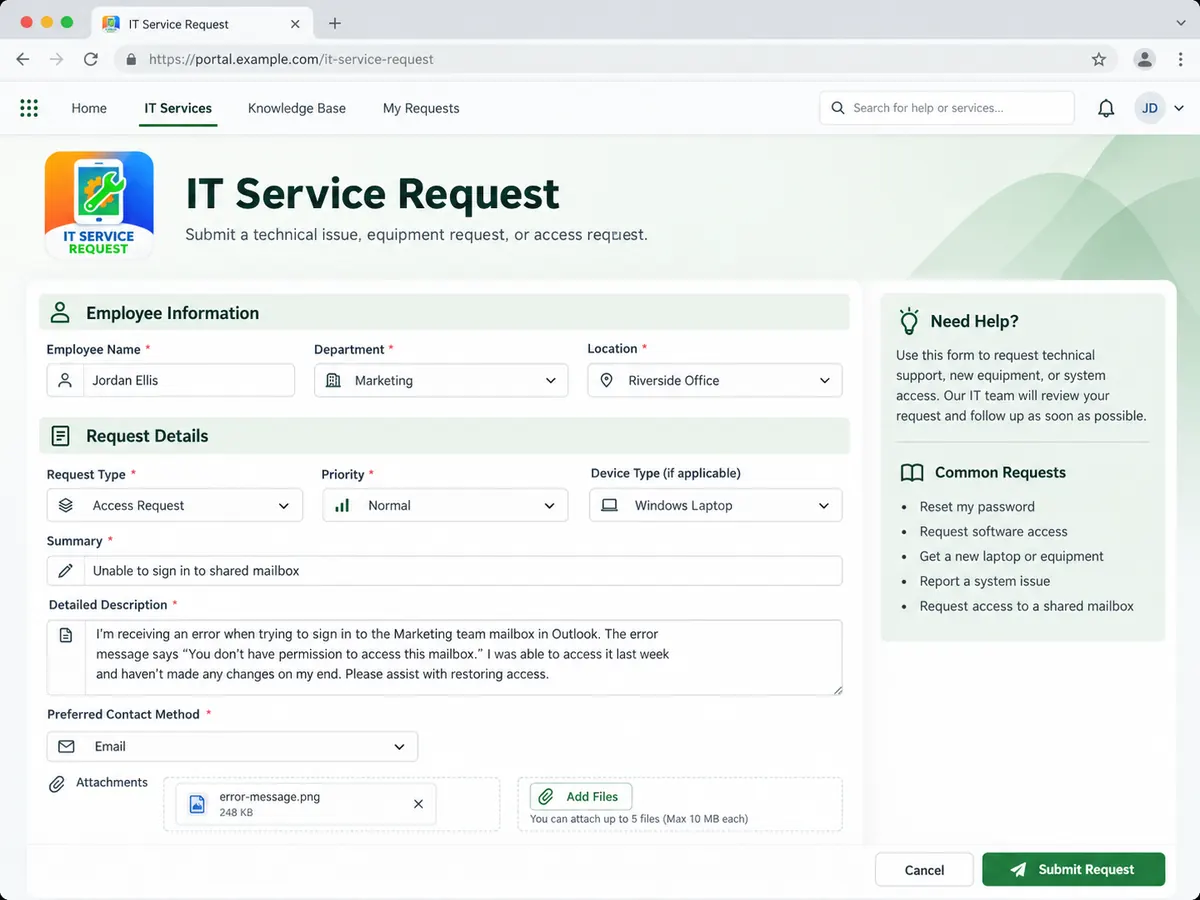
Recreated form experience for incident, equipment, and access submissions; fictional fields and example entries.
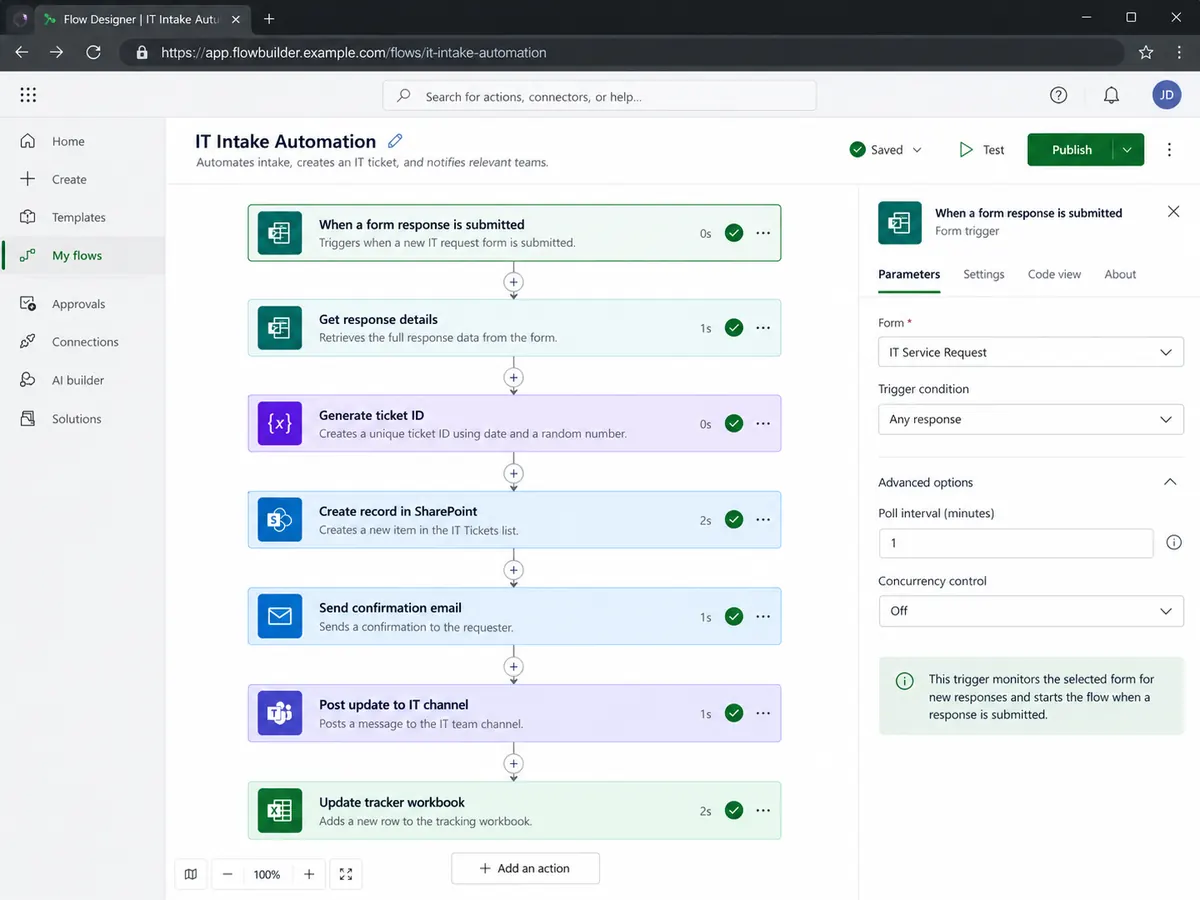
Conceptual reconstruction of automated steps, not an export of actual flow settings or an exact connector sequence.
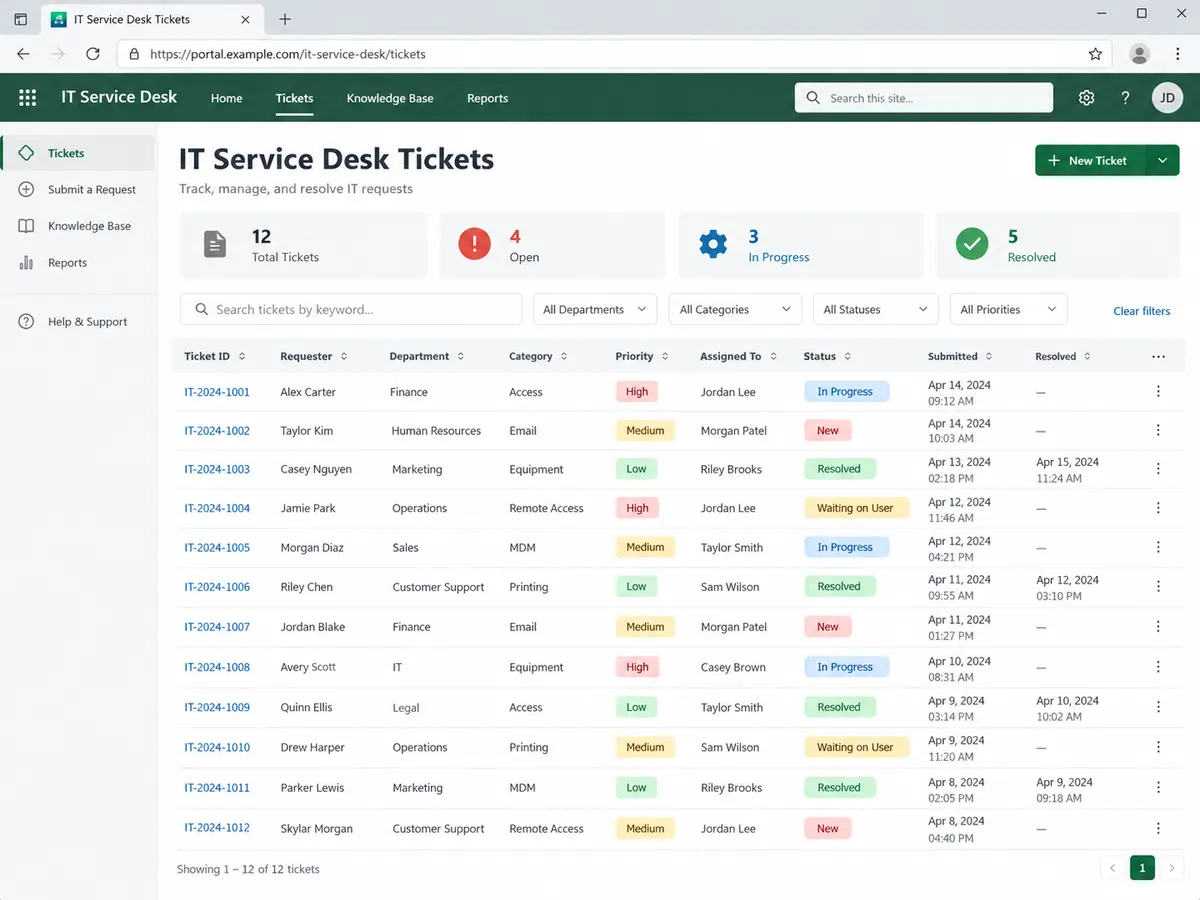
A recreated view of centralized ticket tracking. Example records, counters, names, dates, and statuses are entirely fictional—not operational reporting data.
Later, I integrated a Grok-powered bot using Microsoft Teams and Outlook connections. Employees could describe requests in chat or email instead of opening the original form themselves, while the assistant handled the intake and record updates.
Interprets employee requests and works through connected tools.
Conceptual view of a deployed workflow, not a live architectural diagram. It does not disclose prompts, service credentials, connector permissions, or employee conversations.
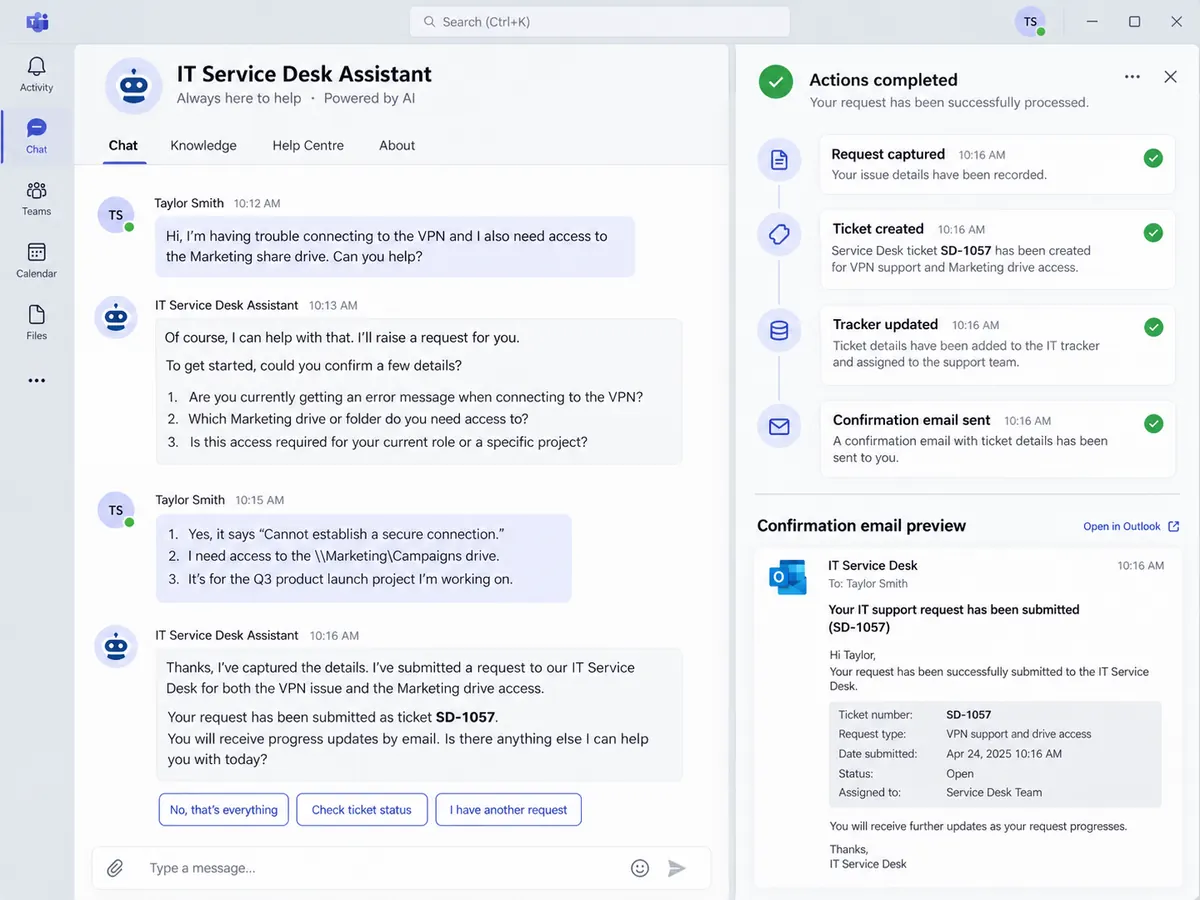
Recreated interaction showing how a request can move from an employee message to ticket creation and notifications. No actual employee chat or real bot transcript is shown.
IT intake became accessible through multiple familiar communication channels. The assistant could populate the request form, update my ticket-tracking workbook, and send progress notifications—reducing the need to copy information between systems manually.
The project combines information design, Microsoft 365 administration, workflow automation, and an evolving AI-assisted support process.
Created a consistent submission experience for technical incidents, hardware needs, and access requests, accessible from a browser shortcut with my original icon.
Deployed to employeesConfigured Power Automate to assign unique ticket numbers, store requests in SharePoint, and trigger email notifications.
Automated intake deployedEstablished a central ticket-tracking structure and maintained a detailed Excel workbook for work notes, classifications, and status review.
Centralized records establishedIntegrated conversational channels so the bot could complete intake, update my workbook, and send ticket progress notifications.
Integrated into the workflowThe system standardized submissions, organized tickets in one trackable process, and automated routine record and notification steps. The later bot integration added email and chat as alternative ways for employees to interact with IT.
These are observed workflow improvements, not claims of measured time savings, SLA compliance, or guaranteed AI accuracy.
This portfolio presentation describes my implementation and operational role using a generalized system diagram. It excludes real ticket submissions, company links, customer records, employee identities, access details, tokens, and bot credentials. All four recreated application screens use synthetic information and are not authentic screenshots, system exports, real tickets, or technical implementation instructions.